
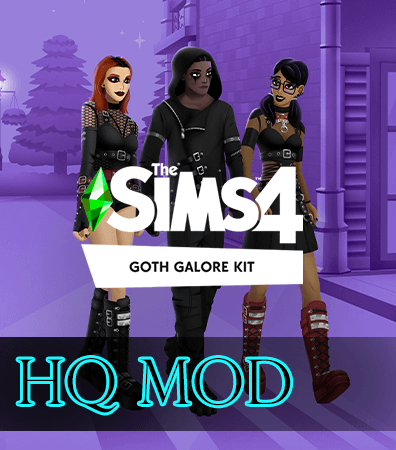
The release of the Goth Galore Kit provided Simmers with long-awaited grunge and alternative fashion staples, but the standard texture resolution often leaves leather jackets and fishnet tights looking compressed. When I installed the Goth Galore Kit HQ Mod Files provided by the Sims 4 HQ mod community, I wanted to see if upgrading the diffuse and specular maps would restore crisp fabric definition without breaking game stability. Testing these high-definition texture overrides gives players a clear picture of whether their hardware can handle the enhanced detail.
I booted up my game in Forgotten Hollow to test the replacement textures under moody ambient streetlamps and foggy cemetery backdrops. The HQ mod system allows the game engine to display 2048×4096 or 4096×8192 texture maps instead of the standard compressed 1024×2048 resolution. Immediately upon zooming into my gothic vampire Sim, the studded chokers, chunky belt buckles, and distressed mesh fabrics revealed noticeable textural clarity.
How Goth Galore Kit HQ Mod Files Sharpen Official EA Meshes
Official kit assets often compress small decorative elements like grommets, safety pins, and zipper teeth into blurry grey smudges when viewed up close. With the high-resolution texture overrides applied, the hardware elements pop with clean metallic distinction. You can clearly see individual teeth on the jacket zippers rather than a single smeared silver stripe running down the torso.
The distressed edges on the oversized graphic hoodies also show genuine frayed thread detail. Instead of pixelated jagged borders, the hem rips look deliberately torn and weathered. If you enjoy pairing these dark aesthetics with custom wardrobe pieces like this witchy goth crop top CC, having matching high-resolution textures across your entire catalog creates a much more cohesive visual experience in screenshots.
I inspected how the upgraded files treat the platform boots and heavy creepers included in SP48. The rubber tread patterns along the thick soles look sharp from all angles, avoiding the muddy pixelation that usually occurs when zooming right down to floor level during CAS styling sessions.
Fishnet Weave Definition and Buckle Metal Sheen
Fishnet stockings and layered mesh tops are notoriously prone to moiré patterns and pixel bleeding under standard game engine settings. With the HQ texture replacements loaded, the diamond patterns in the fishnets retain razor-sharp geometry against the skin. The skin beneath the netting shows through cleanly without weird compression halos around the borders of the holes.
The metallic sheen on the belt buckles and decorative chains also benefits from updated specular channels. Rather than appearing as flat grey painted squares, the buckles reflect point light sources with concentrated specular points. When your Sim moves near wall sconces or candle clusters, the metal glints naturally, adding tangible dimension to the dark garments.
Leather straps wrapping around thighs and forearms maintain distinct edges as well. The stitching along the strap borders stays crisp, ensuring that dark leather contrasts cleanly against paler vampire complexions without bleeding into adjacent skin pixels.
Color Compression and Specular Adjustments in CAS
Dark gothic clothing is notoriously difficult to render effectively in video games because deep blacks frequently lose all interior shading, collapsing into featureless silhouettes. Under standard rendering, several of the kit’s black hoodies turn into flat dark shapes where pockets and folds disappear entirely. The HQ mod files solve this issue by broadening the dynamic range of the diffuse maps.
In Create-a-Sim, you can clearly trace the fabric folds, kangaroo pockets, and hood seams even on the deepest midnight black swatches. The subtle contrast between faded charcoal panels and jet-black trims becomes visible, allowing you to appreciate the nuanced tailoring that EA’s original 3D modelers put into the meshes.
Plaid swatches and striped accents also exhibit remarkable clarity. The red and purple tartan patterns on the pleated skirts display visible fabric weave threads, mimicking heavy wool or flannel instead of printed wallpaper. This textural depth gives the clothing a tactile, authentic feeling that standard textures simply cannot deliver.
Shadow Artifact Elimination in Darker Swatches
A common frustration with official textures is blocky DXT compression artifacts visible in shadowed crevices. In the base SP48 files, underarm seams and torso folds often reveal unsightly blue or green pixel noise in the shadows. The HQ replacement files replace these compressed textures with clean, uncompressed formats that eliminate color banding completely.
I tested the pieces in brightly lit photography studios as well as pitch-black basements, and the shading gradients transitioned smoothly across every shadow boundary. This clean gradient falloff makes a massive difference for virtual photographers who spend hours dialing in studio lighting for portrait captures.
The normal maps also received careful handling, preserving the illusion of fabric thickness around denim hems and leather collars without creating harsh dark creases that look like permanent dirt smudges on your Sims.
Live Mode Performance and Reshade Compatibility
Upgrading texture resolutions across an entire kit inevitably raises questions about hardware performance and memory usage. High-resolution textures consume considerably more video memory (VRAM), which can cause stuttering on lower-end systems if your folder contains hundreds of HQ replacements. However, on my mid-tier gaming rig, having the SP48 kit upgraded produced zero noticeable impact on frame rates.
I sent my Sim to an active club venue in Windenburg packed with fifteen dancing townies wearing various gothic outfits. Gameplay remained fluid, and transitions between CAS and live mode took the exact same amount of time as with standard textures. If you run a modern dedicated graphics card with at least 6GB of VRAM, these replacement files integrate smoothly into your everyday saves.
Reshade and Gshade users will also find that high-resolution textures interact far better with depth-of-field and ambient occlusion shaders. Because the normal maps and specular channels are cleaner, post-processing filters do not amplify ugly compression artifacts. For anyone who actively plays with alternative subcultures and wants their dark aesthetic to look pristine in close-up gameplay, these community-created HQ replacement files offer an undeniable visual improvement to the official SP48 pack.