
ABC Worlds Mod Purpose and World Selection Sorting Logic
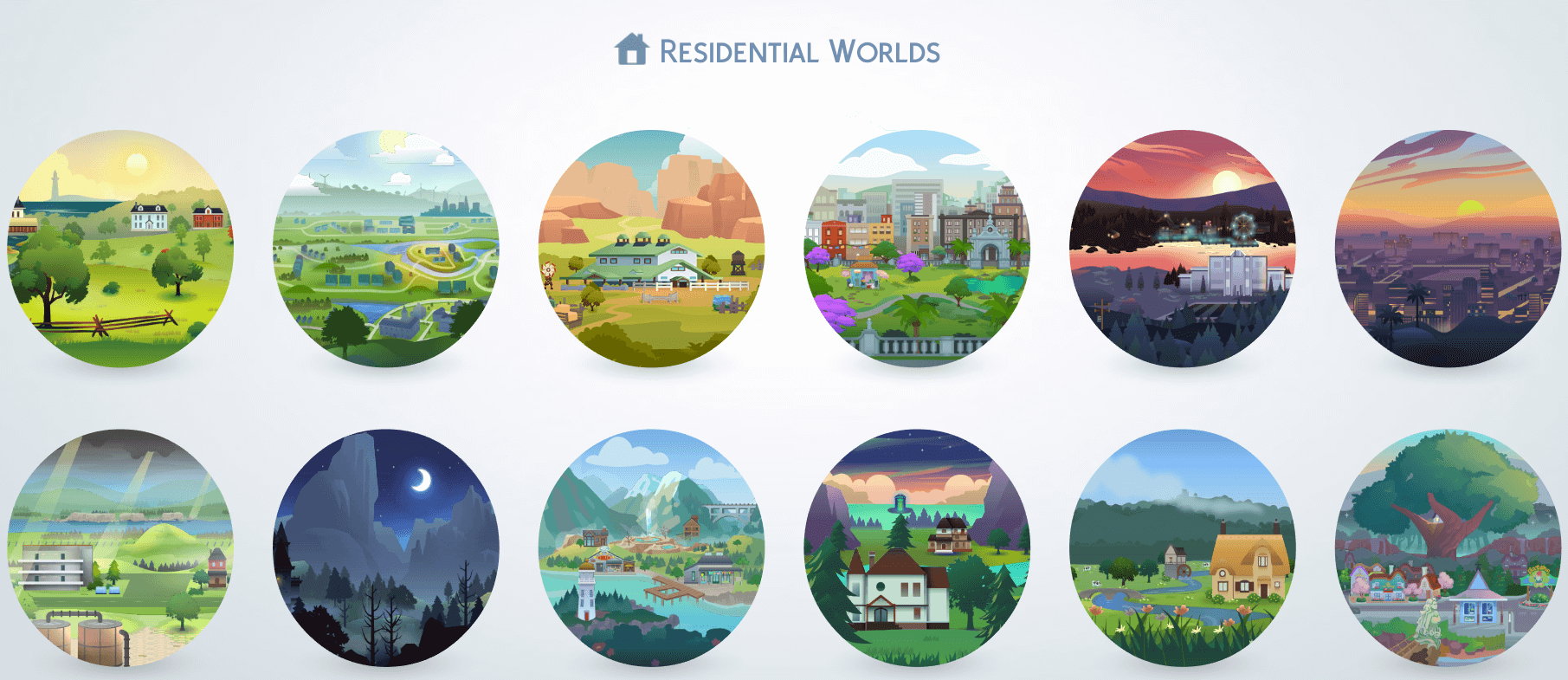
If you own multiple expansion packs, game packs, and spin-off worlds in The Sims 4, the default world selection screen can quickly become an infuriating mess. EA organizes worlds in a bizarre, semi-chronological sequence based roughly on release date, meaning Willow Creek and Oasis Springs sit on one end while newer additions like Ciudad Enamorada or Chestnut Ridge end up scrambled across multiple rows. The ABC Worlds mod solves this user interface headache with elegant simplicity: it reorganizes every single world in the game into strict alphabetical order.
By sorting worlds alphabetically, finding your destination stops being a guessing game of scanning back and forth across three dozen colorful map icons. Brindleton Bay, Del Sol Valley, Henford-on-Bagley, San Myshuno, and Sulani appear right where your brain expects them to be in the alphabet. For Simmers running massive generational saves or rotating between multiple neighborhood households, this tiny quality-of-life tweak saves genuine time during every travel screen. If you also like streamlining other chaotic aspects of gameplay like romance chemistry and daily interactions, pairing UI cleanups with wonderful whims creates an organized, enjoyable simulation experience.
Forever Save Organization and the Notion Tracking Connection
The creator developed the ABC Worlds mod out of personal necessity while building a Notion template to track their own forever save file. When you manage multi-generational legacy families, document family trees, track owned real estate, and log neighborhood lore across Notion databases, having your game worlds follow the same alphabetical sorting structure as your external spreadsheets makes recordkeeping seamless.
Instead of cross-referencing mismatched lists where the game presents one random order and your Notion dashboard presents another, both environments match up identically. Even if you do not use Notion, anyone who keeps written gameplay notes, legacy family journals, or challenge rules will appreciate the instant mental clarity that alphabetical consistency brings to the map selection screen.
This organizational synergy proves especially valuable when moving Sims between rotational households. When you know exactly where Evergreen Harbor sits relative to Forgotten Hollow, you can navigate your neighborhood hops in seconds without pausing your immersion to hunt for a buried world thumbnail.
DLC Compatibility Across Expansion, Game, and Stuff Packs
A frequent question with world-sorting mods is whether they break if you do not own all DLC packs. The ABC Worlds mod handles pack ownership dynamically. Because it simply assigns alphabetized UI sorting index keys to the world definition resources, any worlds you do not own simply will not appear on your screen, exactly as they behave in the unmodded base game.
The creator tested the mod thoroughly on configurations missing various packs—including the controversial Journey to Batuu pack—and experienced zero UI warnings, script errors, or missing world buttons. Whether you own only the base game and one expansion or the complete collection of all forty-plus packs, the sorting script runs smoothly without demanding dummy placeholder files.
Destination vacation worlds like Granite Falls, Selvadorada, and Batuu are also indexed properly. When your Sims use the phone or computer to take a vacation, the destination selection panel reflects the clean alphabetical hierarchy, making booking holiday travel just as intuitive as moving between residential worlds.
UI Texture Mod Performance and Zero Script Lag
Unlike complex script mods that inject hundreds of lines of Python code into the game’s core simulation loop, the ABC Worlds mod is an ultra-lightweight package override. It touches only the user interface sorting definitions, meaning it consumes virtually zero memory and causes absolutely no simulation lag, frame drops, or tick delays during live mode play.
Opening the world map remains instantaneous. There is no loading pause while the game sorts icons, and the visual assets of the world icons retain their sharp, uncompressed native resolution. The package file itself is minuscule—measuring mere kilobytes—making it one of the most efficient utility mods you can add to your setup.
Patch Durability and Mod Conflict Prevention
Because this mod modifies UI world keys, it boasts remarkable durability across official game patches. Minor game updates and hotfixes that adjust live mode interactions, clothing assets, or object tuning will not break this mod. The only time it will ever require an update is when EA releases an entirely new expansion or game pack containing a brand-new world, at which point the creator will simply insert the new world’s name into the alphabetical sequence.
It creates zero conflicts with popular core mods like MC Command Center, UI Cheats Extension, or Better BuildBuy. As long as you do not run another mod that specifically attempts to rearrange world map icons by release date or pack type, ABC Worlds operates with complete stability in the background.
Testing alongside custom map replacement mods like fan-made illustrated world maps also yields smooth results. Because the mod manipulates world list order rather than replacing background textures, custom map art displays flawlessly within the rearranged alphabetical grid.
Download Protocol and Safe Installation Guide
Installing the ABC Worlds mod from Mod The Sims is about as simple as modding gets. Download the package file from the Mod The Sims link below, unzip the package if archived, and place it directly into your Electronic Arts The Sims 4 Mods directory. Do not bury it more than one subfolder deep, and verify that script mods and custom content are checked in your game options.
The ABC Worlds mod is a textbook example of a simple idea executed flawlessly. It declutters an increasingly chaotic world map, speeds up travel navigation, and brings sanity to long-term save files. If your Sims 4 world selection screen has become an overwhelming jumble of pack icons, this mod is the ultimate organizational fix that belongs in every player’s Mods folder. Grab the download below and streamline your world travel today.