A letter from the mailbox
Bia Hairstyle Review: A Sims 4 Curly Updo CC Guide
- To
- your Sims
- Updated
- 13 Sep 2026
A letter from the mailbox
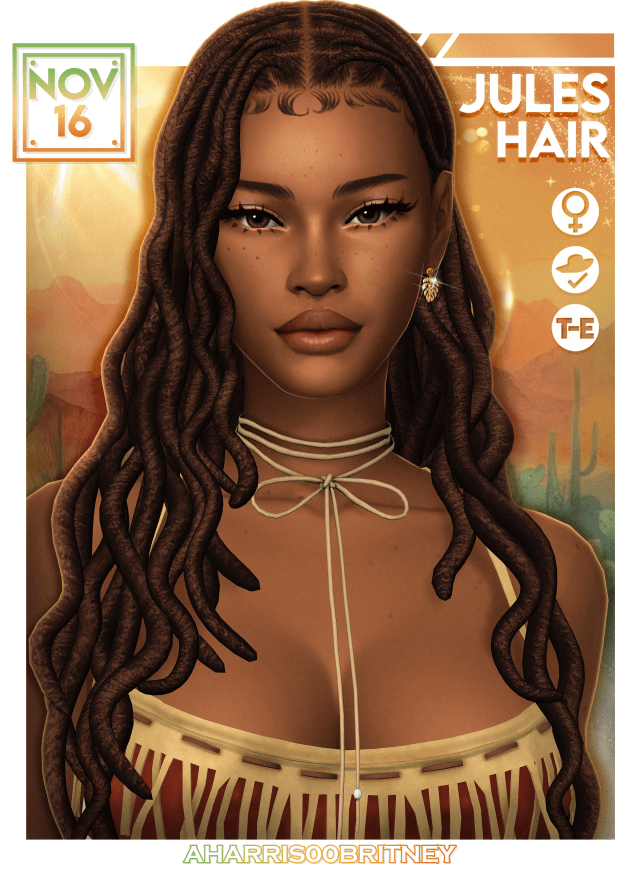
Finding a show-stopping curly updo in Create-a-Sim that combines immense volume with clean hair styling is notoriously rare. Most community updos either flatten into stiff clay helmets or produce messy, chaotic strand clumps that look disheveled in live mode. The Bia Hairstyle takes curly glamour to an entirely new tier, offering a super long, voluminous curly updo crowned with cascading tendrils and sculpted baby hairs. It delivers immediate editorial presence, commanding attention whether your Sim is attending an exclusive charity gala or walking down the aisle at a high-society wedding in Tartosa.
To give players maximum aesthetic control, the creator built three distinct versions directly into the package release. Version one delivers the full, unrestricted glamour look, complete with sweeping face-framing strands and detailed laid edges along the forehead. Version two dials back the tendrils for a slightly tidier, elevated high-bun profile. Version three strips down the loose front strands completely, focusing all visual weight into the regal crown updo. Having three stylistic choices means you can adapt the same core hairstyle across everyday wear, red-carpet appearances, and private romantic dates. Pairing high-impact character styling with deep relationship gameplay through wickedwhims gives your Sims unforgettable personal charisma.
The 3D modeling on the Bia Hairstyle showcases exceptional craftsmanship. Each curl within the updo is individually sculpted with organic tension, avoiding the repeated cookie-cutter spiral coils that often look artificial in custom hair. The strands cascading over the shoulders feature soft spiral physics that bounce naturally without turning into stiff polygon ribbons.
The baby hairs along the hairline are mapped with delicate alpha feathering rather than harsh solid decals. They follow the natural contours of the forehead and temple bones, blending seamlessly with both light and deep skin tones. When your Sim smiles, laughs, or talks animatedly with friends, the hairline remains firmly anchored without pixel jitter or awkward skin detachment.
The parting and crown crown volume are layered with multi-level geometry that prevents the scalp from peeking through between curl clusters. Even under intense overhead sunlight or harsh studio spotlights, the underlying head mesh stays properly occluded by dense, dimensional curly locks.
One of the most refreshing aspects of this release is the creator's honest technical transparency regarding UV mapping and hat compatibility. To achieve this level of strand resolution and curl definition, the 3D model utilizes a massive UV texture map that occupies nearly all available texture coordinate space. Because every square inch of the UV island is dedicated to rendering high-definition curls, the hair is not hat-compatible.
Attempting to force a hat onto this hairstyle would crush the massive updo and produce severe texture distortion. In practice, this limitation barely matters: you do not put a baseball cap over a luxury red-carpet updo anyway. By prioritizing pure visual splendor over compromised hat morphs, the creator delivered one of the most stunning, uncompressed curly updos in the entire CC community.
The uncompressed texture clarity pays massive dividends during gameplay photography. Fine hair highlights catch the light smoothly along each curve, producing soft photographic sheen rather than blocky pixel compression noise. Your close-up portrait shots will look crisp and vibrant across every graphic setting.
Updos with long shoulder tendrils often suffer from severe clipping through character collarbones during head turns. The Bia Hairstyle utilizes smart bone weighting that keeps the long front tendrils floating cleanly along the chest without slicing through necklines. During live mode gameplay, your Sim can sit down to dinner, jog on the treadmill, or dance at nightclub lounges without the hair breaking into jagged polygon shards.
The package is completely base game compatible, requiring zero expansion packs to function properly. The polygon counts are optimized across active LOD models, meaning you can enjoy high-definition CAS screenshots without suffering from simulation lag or sudden frame rate drops during busy live gameplay.
Because the hair sweeps upward into a dramatic crown bun, it naturally exposes the neck, ears, and collarbones. This open architecture makes it the ultimate vehicle for showcasing statement jewelry. Layer oversized diamond drop earrings, ornate gold filigree hoops, or multi-strand pearl chokers without any hair geometry getting in the way.
The hairstyle looks breathtaking paired with backless silk evening gowns, corset tops, and off-the-shoulder formal wear. It also complements full-glam custom makeup, holding up effortlessly alongside bold wing eyeliner, dramatic 3D lashes, and sculpted glossy lips. For Simmers who curate Instagram lookbooks or produce cinematic machinima, this hair is a dream asset that captures directional lighting with photographic brilliance.
In addition, testing the hair across occult characters reveals wonderful versatility. High-status vampire matriarchs and ancient spellcasters look majestic sporting the darker swatches, fitting gothic nobility and supernatural grandeur effortlessly. The dramatic height of the updo adds an imposing sense of status and royal authority during court storytelling sessions.
The package file maintains clean internal naming protocols, ensuring effortless integration into organized Mods folders without causing conflicts with other hair packages.
Adding the Bia Hairstyle to your setup takes only a moment. Download the package file from the creator's Tumblr release linked below and place it into your Electronic Arts The Sims 4 Mods directory. Ensure custom content is enabled in your game settings, and you will find all three versions ready for action in Create-a-Sim.
The Bia Hairstyle is a triumphant celebration of curly volume, elegant edge control, and authentic glamour. With three versatile versions, gorgeous strand sculpting, and flawless animation rigging, it stands out as an indispensable crown jewel in any CC folder. Grab the download below and treat your Sims to unforgettable red-carpet luxury.